

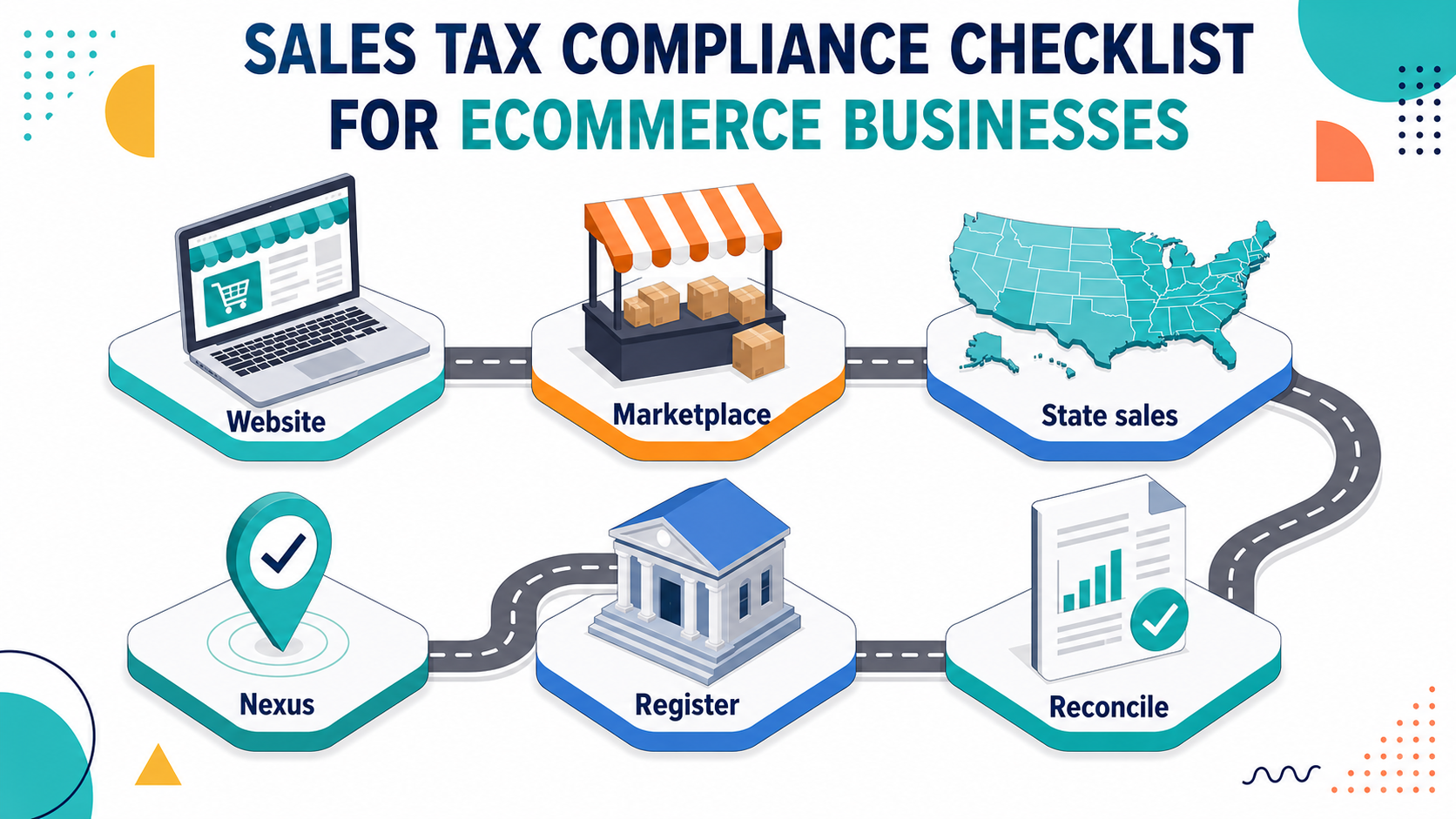

This article gives ecommerce businesses a distinct sales tax checklist. It builds on the small business version but focuses more on online sales, marketplaces, and multi-state activity.
Ecommerce sales tax can change as the business grows.
Separate sales from your website, marketplaces, wholesale, and direct invoices. Each channel may have different sales tax treatment.
You also need sales by state. Without that, nexus review becomes guesswork.
Economic nexus may create sales tax duties based on sales activity in a state. Thresholds and rules vary.
For background, see our multi-state tax compliance guide.
Marketplaces may collect and remit tax on some sales. That does not mean you can ignore records.
Keep reports that show what the marketplace collected, remitted, and paid to you.
If you need to collect sales tax in a state, registration usually comes first.
For help with registration and filing, see our sales tax services.
Products may be taxable in one state and exempt in another. Digital goods, clothing, food, and bundles can be especially tricky.
Document the treatment for key products and update it when the product line changes.
Sales tax collected should match filings and payments. Your accounting system should separate sales tax from revenue.
Our accounting and bookkeeping services can help clean up sales and tax records.
If you sell to resellers, collect certificates before treating sales as exempt. See our resale certificate guide for more.
Ecommerce businesses should compare platform reports to bank deposits and accounting records. This helps separate sales, refunds, fees, shipping, and tax collected.
If the reports do not match, fix the issue before filing returns.
Refunds and returns can affect sales tax reports. Ecommerce businesses should track refunds by channel and state so filings match actual sales activity.
This is especially important when returns happen in a different month from the original sale.
When you add a new marketplace, payment app, shipping setup, or tax tool, review the sales tax settings. A small setup error can repeat across many orders.
Document who checked the setup and when.
Use this guide as a monthly review tool, not just a tax-season article. Assign one person to gather records, check open questions, and flag anything that may affect filing, cash flow, or compliance. A simple habit like this keeps small issues from becoming year-end cleanup work.
After reading this, make a short list of the records, deadlines, and open questions tied to this topic. Review that list with your accounting or tax team before the next filing cycle, not after a deadline is already close.
Ecommerce businesses need a sales tax process for states, channels, marketplaces, taxability, filings, and records.
If your online sales are growing across states, contact Madras Accountancy.
Section 4960's 21% excise tax now reaches far more nonprofit employees. See who is a covered employee in 2026 and what changed.

The Section 45S paid family leave credit is permanent for 2026 with new options. See who qualifies, the amounts, and how to claim it.
Opportunity zones become permanent in 2027 under the One Big Beautiful Bill. See the new deferral, rural bonus, and the 2026 handoff.